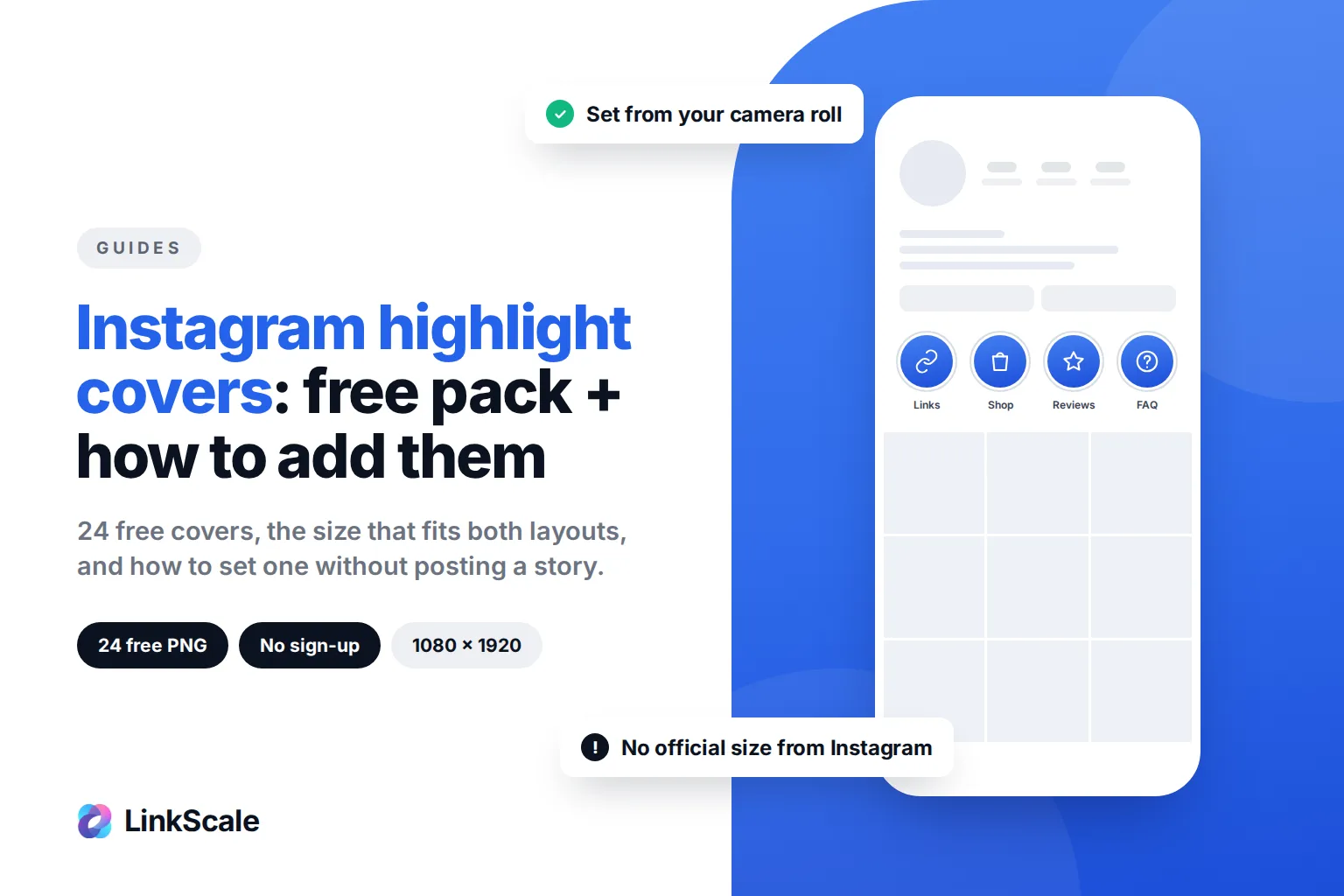
Instagram highlight covers are the small images that sit above your grid and label each highlight: Links, Shop, Reviews, FAQ. You can set one from your camera roll without posting it to your story: open the highlight, tap Edit highlight, then Edit cover, and pick the image from your gallery. Below you get the steps, the size that survives both the circle and the new vertical thumbnails, and a free pack of 24 covers you can download right now, no email required.
How to add Instagram highlight covers without posting to your story
This is the question most people actually have. Posting a plain icon to your story just to use it as a cover clutters your story and confuses your followers. You do not need to.
Change the cover of an existing highlight
- Go to your profile and tap and hold the highlight you want to change.
- Tap Edit highlight (on some versions, open the highlight, tap More, then Edit highlight).
- Tap Edit cover.
- Tap the gallery icon in the cover picker, instead of choosing one of the stories already in the highlight.
- Select your cover image from your camera roll, adjust it inside the circle, and tap Done.
Instagram's Help Center describes the same flow from the other end: when you create a highlight, you "tap Edit cover to choose a cover photo and enter a name", and you can edit a highlight at any timeOpens in a new tab from your profile. The cover is only the label. It never appears inside the highlight as a story.
Create a new highlight with a custom cover
- On your profile, tap New under your bio (or Story highlight from the + menu).
- Select at least one story from your archive. A highlight cannot be empty.
- Tap Next, then Edit cover, then the gallery icon, and choose your cover.
- Type the name (keep it to one short word, longer names get cut off) and tap Add.
If you have never posted a story, you need one first. Post anything relevant, add it to the highlight, then swap the cover.
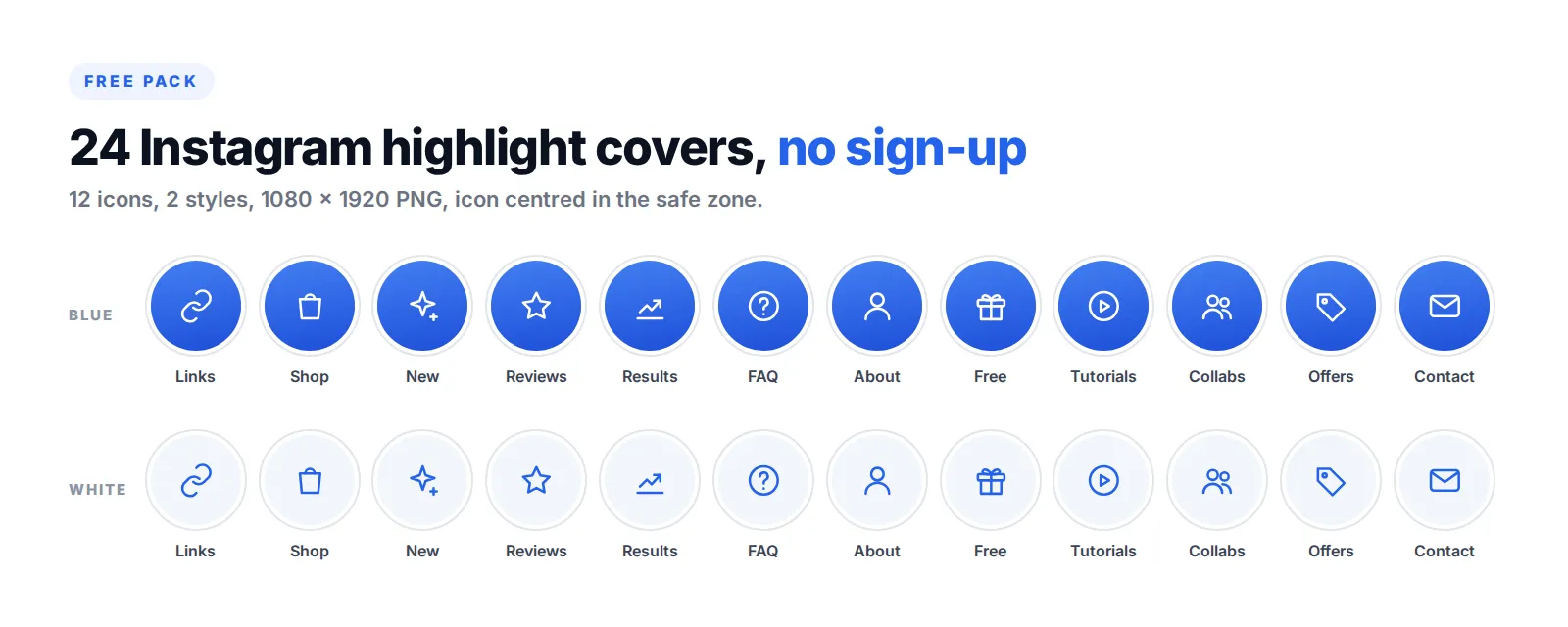
Free Instagram highlight covers (24 PNG, no sign-up)
We designed this pack for creators who sell from their profile, so the categories are the ones that actually move people to a link or a purchase. Two styles, same 12 icons: blue for profiles with a colourful feed, white for minimal or dark feeds. Every file is 1080 × 1920, icon centred in the safe zone.
On your phone, open a link, press and hold the image, and save it to your photos. It is then in your camera roll, ready for the Edit cover step above.
Use one style across all your highlights. Mixing a blue cover, a photo and a white cover reads as unfinished, and the row of highlights is the first thing a new visitor sees after your bio.
What size should Instagram highlight covers be?
Instagram does not publish an official size for highlight covers. That is why you find three different answers online. Here is what holds up.
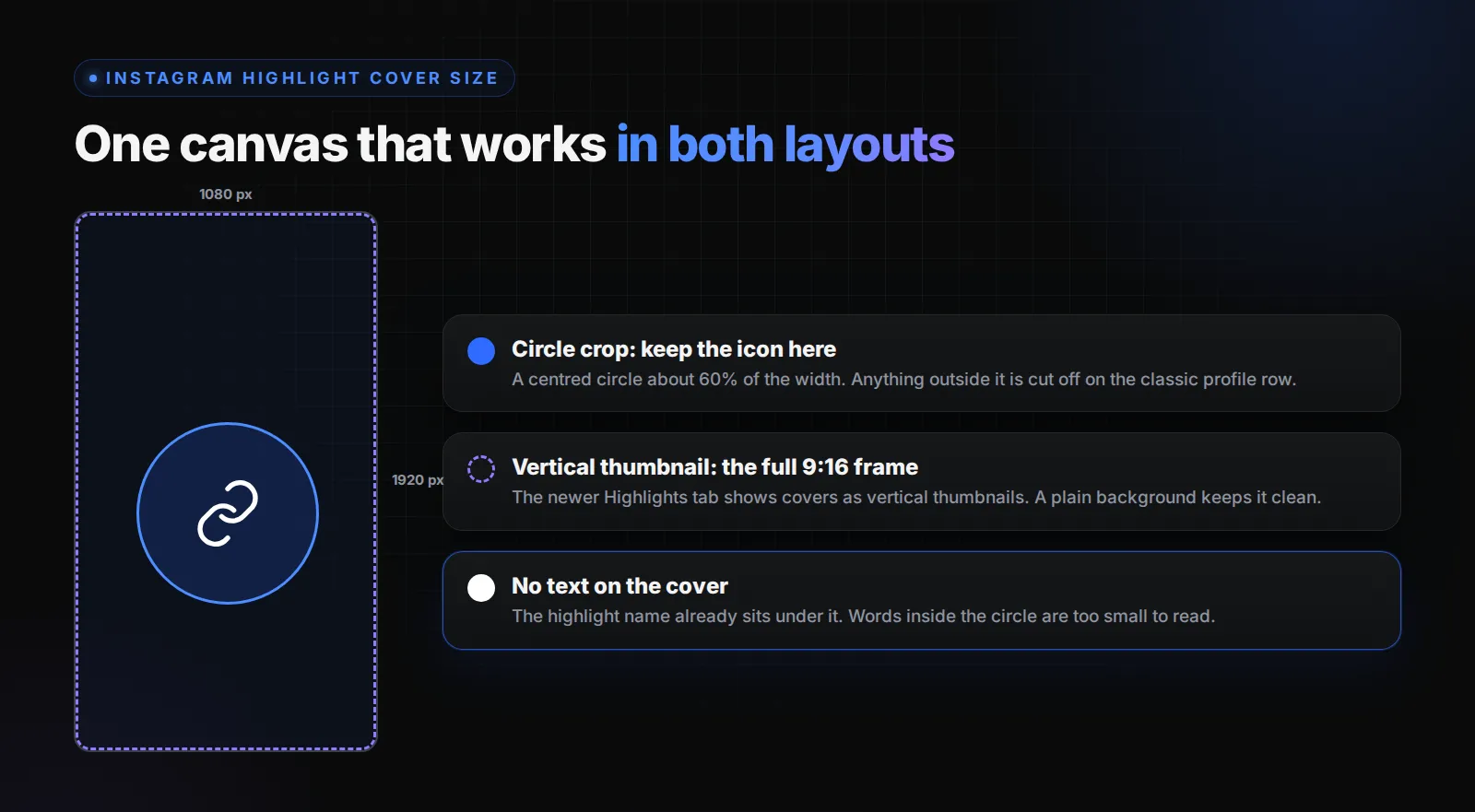
Design on a 1080 × 1920 canvas
A cover is picked from the same space as a story, so the safest canvas is the story format: 9:16, 1080 × 1920 pixels. Meta's own ads guide now lists 1440 × 2560 as the recommended story resolution, and anything in 9:16 at 1080 wide or more works. Square 1080 × 1080 files also work, but they give you less room when Instagram shows the cover as a vertical thumbnail.
Keep the icon inside a centred circle
On most profiles, Instagram crops the cover into a small circle from the centre of the image. Keep your icon or text inside a circle about 60% of the canvas width, dead centre. Anything near the edges is cut off.
Plan for the vertical thumbnail too
In late 2024, Instagram said it would move story highlights into their own tab on the profileOpens in a new tab, shown as vertical thumbnails instead of circles. The rollout has been gradual, and depending on your account and app version you may see either layout. A cover designed on 9:16 with a centred icon looks right in both. A square cover with text at the edges does not.
How to make your own Instagram highlight covers
If the pack does not match your feed, making your own takes ten minutes.
The three rules that make a set look professional
- One background colour, taken from your feed. Pick the colour that already dominates your posts, not a new one.
- One icon style. All outline or all filled, same stroke width. Mixing styles is the most common reason a set looks cheap.
- No words on the cover. The highlight name already sits under it. A word inside the circle is too small to read and repeats the label.
Any design app that exports PNG at 1080 × 1920 will do: Canva, Figma, Adobe Express, or even a phone editor. Start from a blank story-size canvas, place one icon in the centre at about a third of the width, export, save to your phone, and apply it with Edit cover.
Which Instagram highlights should you have?
Covers are the easy part. What sits behind them decides whether anyone taps.
Put the highlight that earns money first
Highlights appear in the order you last added to them, newest on the left. Your most important highlight should be the first one people see, so add a fresh story to it regularly to keep it there. For most creators who sell, that is Links or Shop.
Five highlights is enough for most profiles
On a phone, only four or five highlights are visible before people have to swipe. In its 2017 launch announcement, Instagram said you can have as many highlights as you'd likeOpens in a new tab, but the ones past the fifth are rarely opened. Start with Links or Shop, Reviews, FAQ and About, then add one that fits your niche.
Links in highlights still need a proper destination
A link sticker inside a highlight stays tappable for as long as the highlight exists, which is why so many creators keep their offers there. Since 29 September 2026, Instagram also reviews links in highlights, not only in the bio, so the page behind the sticker matters as much as the cover in front of it. Our guide on adding a link to an Instagram story covers the sticker step by step, and why a landing page on your own domain beats a raw redirect. If you send every highlight to one tracked page built with LinkScale, you also see which highlight actually sends clicks.
Instagram highlights not showing? Common fixes
Instagram notes that stories are saved to your archiveOpens in a new tab unless you turn it off, and the archive is where every highlight is built from. If your archive is off, turn it on today, before you need an old story you can no longer get back.
FAQ
Can you add a highlight cover without posting it to your story?
Yes. Open the highlight, tap Edit highlight, then Edit cover, and choose the gallery icon to pick an image from your camera roll. The cover is used only as the label and never appears inside the highlight as a story. You still need at least one story in the highlight itself.
What size is an Instagram highlight cover?
Instagram does not publish an official size. Design on a 1080 × 1920 canvas, the story format, and keep the icon inside a centred circle about 60% of the width. That works for the circular crop and for the vertical thumbnails of the newer profile layout.
How many highlights can you have on Instagram?
Instagram said at launch that you can have as many highlights as you like, and has not published a limit since. In practice only the first four or five are visible on a phone without swiping, so put the most important ones first.
Who can see my Instagram highlights?
The same people who can see your stories. If you hide your stories from someone, they will not see the highlights built from them either. On a public account, anyone who visits your profile can open your highlights.
Can you see who viewed your Instagram highlights?
You can see who viewed a story during its first 48 hours. After that, the list of viewers is no longer available, even if the story sits in a highlight. Tools that claim to show you the viewers of an old highlight cannot access that data.
Updated 5 October 2026. Written by the LinkScale team.