

To add a link to an Instagram story, open the story editor, tap the sticker icon, choose Link, paste your URL, tap Done and place the sticker on the screen. It takes about ten seconds, and every account can do it, no follower threshold. What most people get wrong is not the tap sequence. It is what they link to, and where that link lives afterwards.
The link sticker is the safest place for a commercial link on Instagram right now. Safer than the bio, for reasons that have nothing to do with the sticker itself and everything to do with how Instagram scores accounts. We will get there. Steps first.
How to add a link to an Instagram story, step by step
On the Instagram app
- Open Instagram and swipe right, or tap the + icon and choose Story.
- Take a photo or video, or pick one from your camera roll.
- Tap the sticker icon at the top of the screen (the square smiley face).
- Select the Link sticker.
- Paste or type your URL in the URL field.
- Optional: tap Customize sticker text and replace the raw URL with a short label.
- Tap Done, then drag the sticker where you want it and pinch to resize.
- Tap the sticker once or twice to cycle through its colour styles.
- Share to Your story, or to Close friends if you want to test it first.
Instagram allows one link sticker per story frame. If you need several destinations, post several frames or, better, send everyone to a single landing page and let that page do the routing.
Customize the sticker text
The default sticker shows your domain. Replacing it with a label like "Full video here" or "New drop" usually gets more taps, because the person knows what they will get before they leave the app. Keep it under five words. Emojis are fine, but the label is what people read.
Add it to a highlight so it keeps working
A story disappears after 24 hours. The link sticker does not have to. Open the story, tap Highlight, and add it to an existing highlight or create a new one. The sticker stays tappable inside the highlight for as long as the highlight exists. This is the part that matters for anyone who makes money from the link, and it is the reason we recommend highlights over the bio below.
Why the story link is safer than the link in bio
Instagram opened the link sticker to every account on 27 October 2021, according to Instagram's own announcementOpens in a new tab. Before that it was reserved for verified accounts and large followings. Since then, the bio link and the story link have quietly diverged in how much risk they carry.
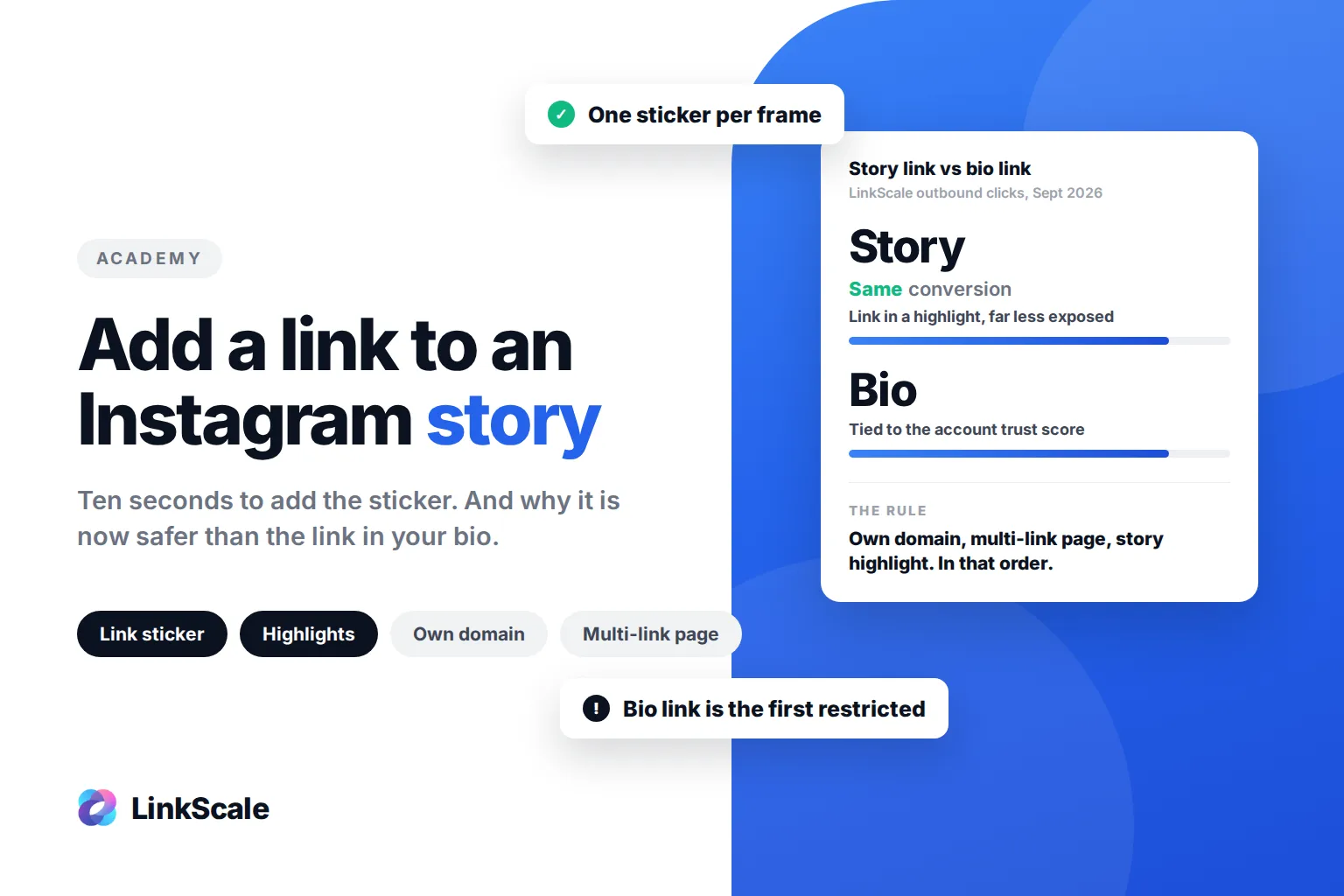
The bio link depends entirely on your account's trust score. It is a permanent, public, always-visible link tied to the profile itself. When Instagram lowers its confidence in an account, the bio link is the first thing that gets restricted, and it happens without warning. The story link is a piece of content, not a profile attribute. It is far less exposed, and in our observation it converts just as well.
Across the outbound clicks we serve on LinkScale, as of September 2026, links placed in story highlights convert at the same rate as links placed in the bio. The measure is taps that reach the destination, not story views, which is why the two placements compare cleanly. Same clicks, less risk. That is not a close call.
The Instagram Help CenterOpens in a new tab also notes that new accounts and accounts with repeated Community Guidelines violations lose access to the link sticker. Read that as a signal: the sticker is a privilege tied to account health, so protect the account and the sticker stays.
What to link from a story
The sticker is only half of the decision. The destination is the other half, and it is where most restrictions actually come from.
| Destination | Risk on Instagram | What we recommend |
|---|---|---|
| Landing page on your own domain, several links | Low | Yes, the default setup |
| Landing page on a shared domain | Medium, depends on everyone else using that domain | Only if you have no domain yet |
| Direct link to a shop or YouTube | Low to medium | Fine for one-off promos |
| Direct redirect to a paid platform | High | Avoid, especially from the bio |
| Any link on a brand-new account | High regardless of destination | Wait, post normally, then add links |
Three rules cover most cases. Use your own domain, because a shared one inherits the reputation of thousands of other accounts. Send people to a landing page with several links, not a single redirect, so the page looks like a profile rather than a doorway. And put that link in a story highlight, not only in the bio. Our guide on the most common bio link mistakes goes through what happens when people skip these.