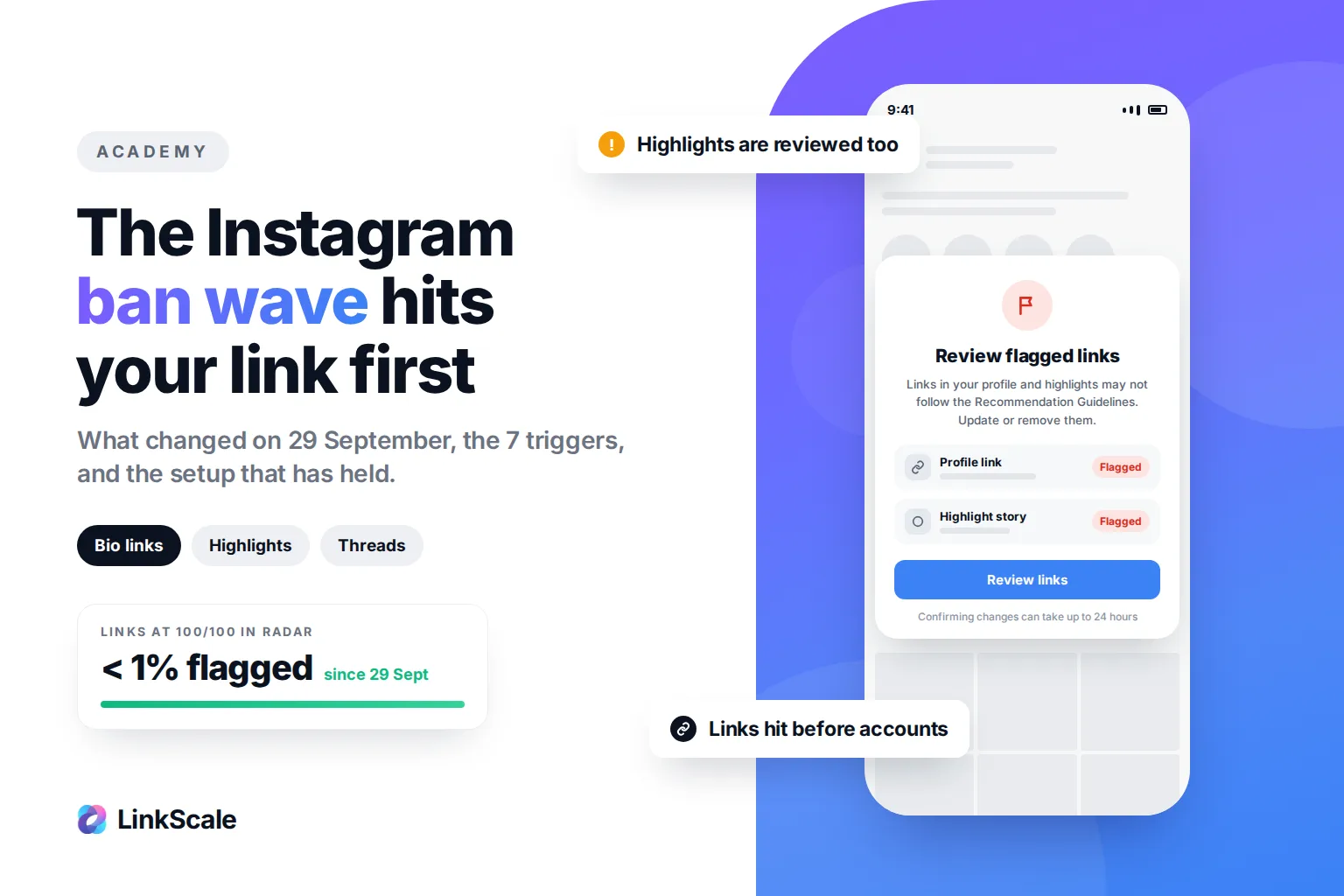
The Instagram ban wave that started on 29 September 2026 goes after links, not accounts. Instagram and Threads now flag the links in profiles and in highlight stories, whatever tool created them, and ask creators to edit or remove them. On LinkScale, fewer than 1% of links scoring 100/100 in Radar have been flagged since, and every one of those cases came down to a setup error or to the account's own content.
New: our team has just released a technique that is working right now
Instagram's link rules are moving week by week, and we adapt as fast as they change. Since the wave started, our team has rolled out a new technique that creators and agencies are already switching to. We share it one to one, adapted to your accounts, so the fastest way to get it is to DM our team on LinkScale support. Do not wait for this page to catch up: message us as soon as you can for the latest strategy.
What to do right now
- Move the link to a second account and tag it from your main bio.
- Point it to a landing page with 5+ links, no suggestive visuals.
- Remove "Secret", "VIP" and similar words from the title and the URL.
- Use one custom domain per account, and a fresh one if yours was flagged.
- Turn on MultiShield V2 in Instagram mode.
- Keep DeepLink on.
- Run LinkScale Radar and fix everything until each link is at 100/100.
The why, and the data behind each step, is below.
The wave in five numbers
What changed on 29 September 2026?
A new screen: "Review flagged links"
Creators open the app to a full-screen notice. Instagram asks them to review the links in their profile and highlight stories and to "update or remove anything that may not follow our Recommendation Guidelines". Confirmation takes up to 24 hours.
Threads does the same. And it is not one provider's problem: within 24 hours, our support received that screen from creators on different domains, different tools and different niches.
Highlights were the last safe spot
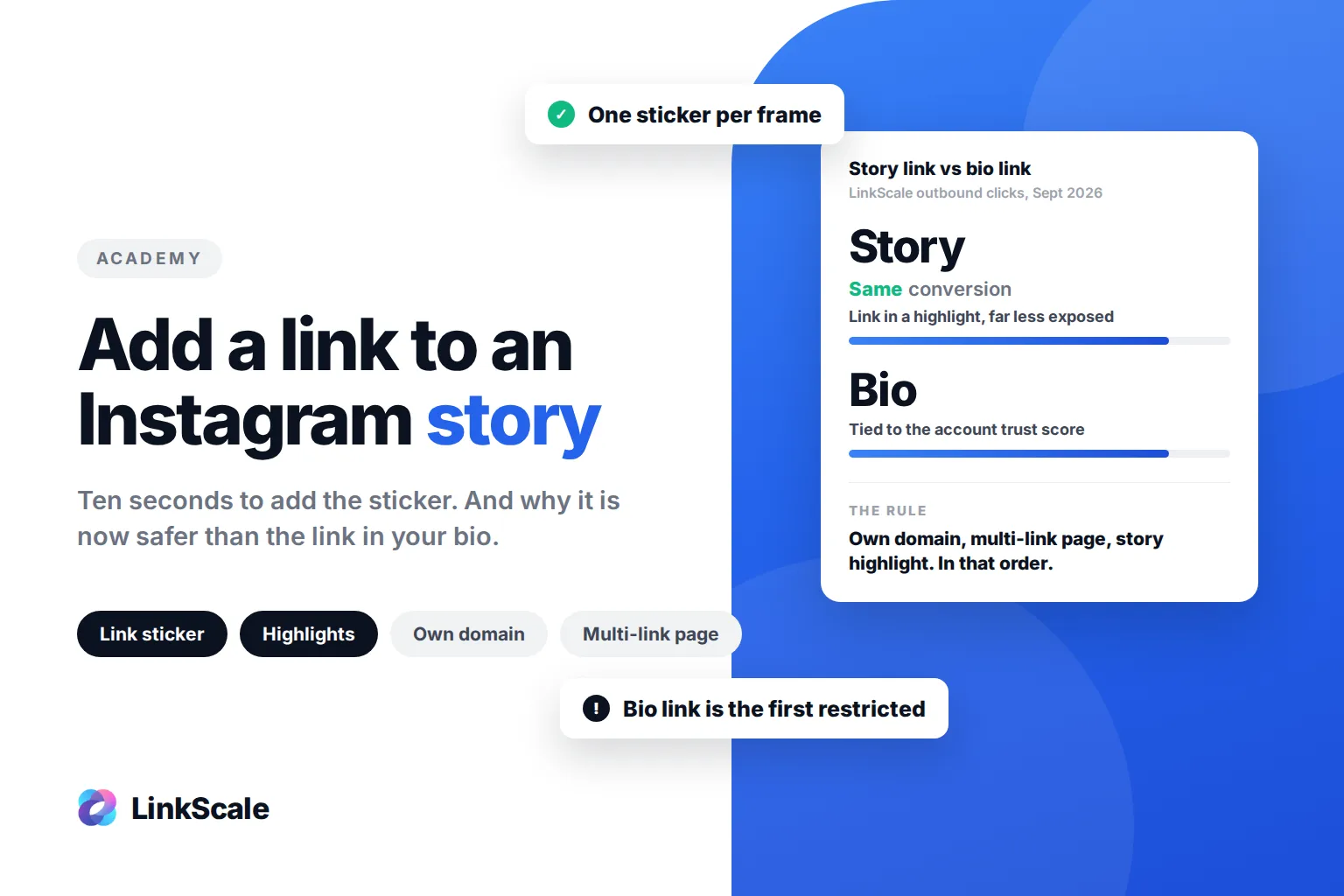
Since 2025, the story highlight was where everyone moved their link once the bio got restricted. We recommended it ourselves in our guide to Instagram story links. Since 29 September, a highlight is reviewed exactly like a bio.
The rule cited is not the one you think
Instagram is not invoking its Community Guidelines. It invokes its Recommendation Guidelines, the rules for content that is allowed but that Instagram refuses to push. Its July 2021 post on Sensitive Content ControlOpens in a new tab names "posts that may be sexually suggestive" as an example.
Your link is not judged illegal. It is judged undesirable. That bar is far lower, which is why links fall before accounts do.
Is this the 2025 Instagram ban wave again?
No. In June 2025, Instagram and Facebook users reported mass account suspensions, widely blamed on automated moderation, and Meta acknowledged a technical error on Facebook GroupsOpens in a new tab.
Account still up, link flagged: you are in the 2026 wave, and an appeal will not help.
How did we get here?
Every time creators find a placement that works, Instagram closes it.
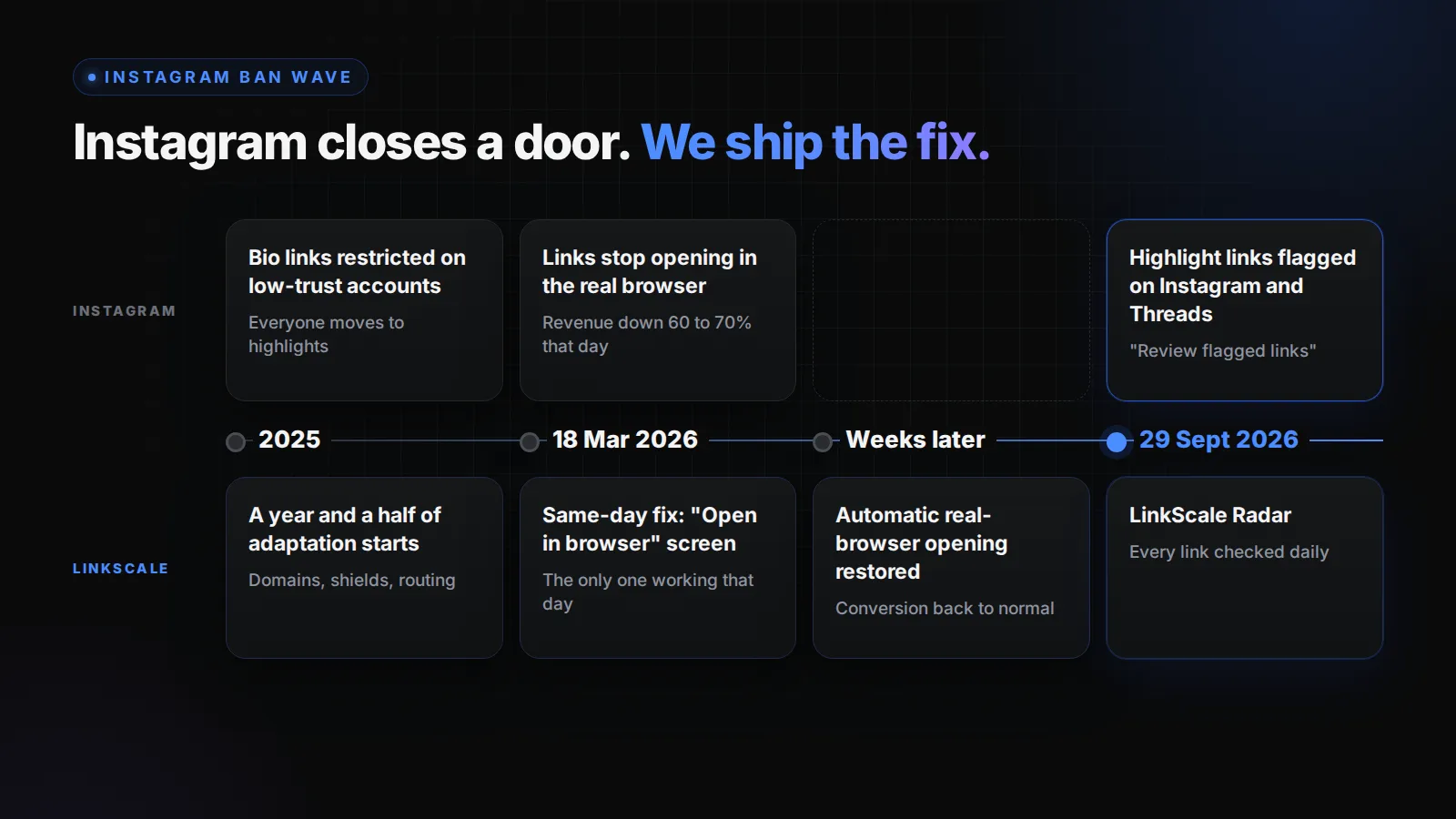
- 2025. Bio links get restricted on accounts with a low trust score. Everyone moves the link to a highlight.
- 18 March 2026. Links stop opening in the phone's real browser. Fans land logged out, with no saved card, and our clients' Instagram revenue drops 60 to 70% that day. LinkScale ships a screen guiding fans to "Open in browser" the same day, the only fix that worked on the market that day, then restores automatic opening in the following weeks. Conversion returns to its previous level.
- 29 September 2026. Highlight links get reviewed too. LinkScale launches Radar, a daily check of every link.
The full story of March is in Instagram removed automatic deep links. The lesson is shorter: the next hiding spot will close too. What lasts is a setup that holds when Instagram looks.
How do you know your link is flagged?
Not every problem shows the same symptom, and each one has a different first move.
Always test from a second phone, logged out, on mobile data. Your own app can show you a link that other people no longer see.
For links in existing highlights: a link sticker cannot be edited once the story is posted. Post a new story with the fixed link, add it to the highlight, and remove the old story from it.
Why does Instagram flag a link? The 7 triggers
From our tickets and a year and a half of tracking Instagram's restrictions, the same seven triggers come back every time.
The account decides first. When Instagram judges the content suggestive, the link is the first thing it restricts, whatever tool built it. Check Account StatusOpens in a new tab before anything else; our Instagram shadowban guide explains each state.
The link carries other people's history. A shared domain carries the reports of every account using it, and the same link on ten accounts reads as a network.
The page gets read. Meta fetches the pages shared on its appsOpens in a new tab to build their previews. A one-button page to a subscription platform is exactly what the Recommendation Guidelines describe.
What actually protects a link
Five building blocks, each answering one or more of the seven triggers.
MultiShield V2: a trust score for every visitor
MultiShield V2 runs every visitor through 10 detection layers, including bot signatures, scrapers, VPNs, residential and datacenter proxies, and device and browser fingerprinting. It scores each visitor in a few milliseconds, before the page loads, so automated traffic is kept away from your real page.
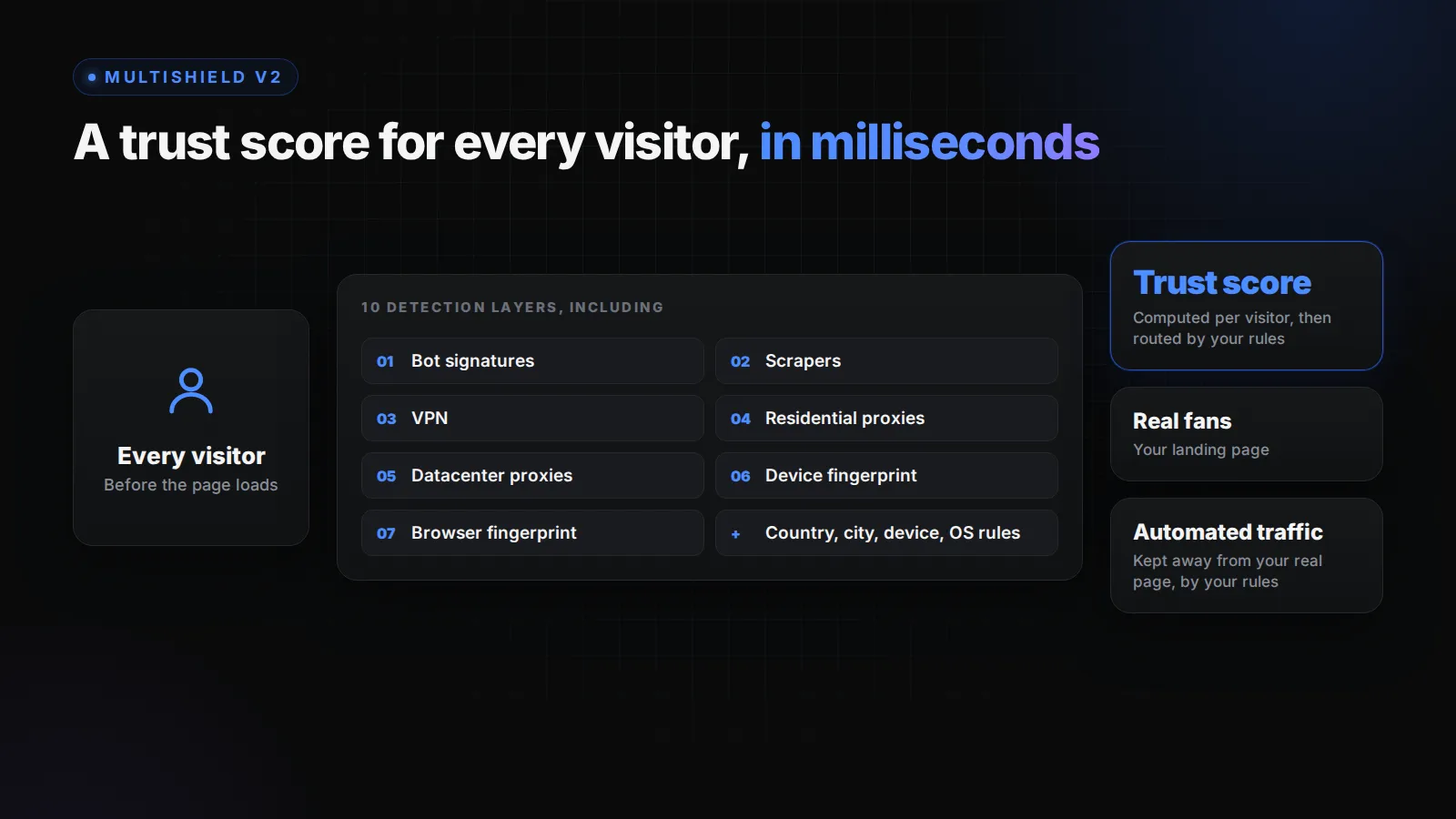
Most link tools sell a shield as a single on/off switch. MultiShield V2 is configured rule by rule.
One custom domain per account
Each account gets its own domain, so if one account goes down, the others do not follow: they share nothing Instagram can connect. The same link also gets up to 27% more clicks on a custom domain than on a shared one. The reasoning is in why a custom domain matters for bio links.
DeepLink: the fan opens in their real browser
Instagram keeps links inside its own browser, where the fan is logged out with no saved card. LinkScale's DeepLink reopens the link in the real browser, on every browser and every phone, old models included, and on every network where it is technically possible. Many alternatives only cover Instagram or X, on recent browsers. Across several thousand Instagram accounts, links opening in the real browser reach 71% conversion on the destination platform.
A landing page that looks like a profile
Triggers 6 and 7 are about the page. LinkScale has more than 112 landing page templates built to hold 5 links or more with neutral visuals, plus a slide-to-unlock mechanic and a built-in, non-intrusive captcha that stop automated traffic while staying light for real fans.
Revenue tracking, link by link
Clicks do not tell you whether a flag cost you money. LinkScale connects to OnlyFans, Fanvue, MYM and Telegram, so you see the funnel down to revenue for each link. When a wave hits, you see which link lost money, instead of finding out at the end of the month.
The setup to apply today
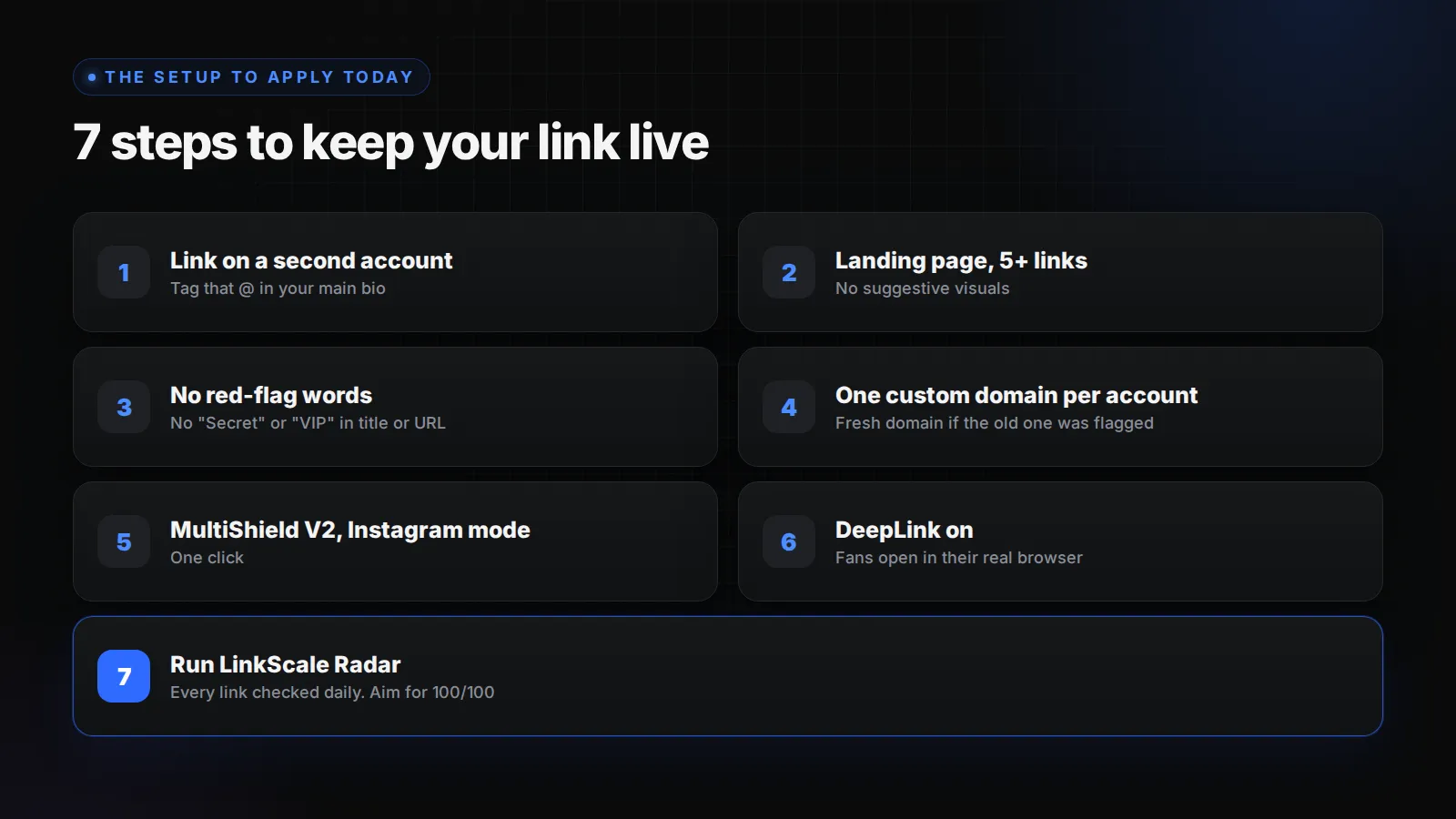
This is the setup our support has recommended to every creator who wrote in about the wave, in this order:
- Put the link on a second account, and tag that @ in your main bio. If the link gets hit, your main account keeps its reach.
- Use a landing page with at least 5 links (Instagram, X, TikTok, YouTube, whatever you actually use) and no suggestive visuals.
- Keep "Secret", "VIP" and similar words out of the title and the URL.
- Use one custom domain per account. If the old one was flagged, do not fight for it: switch.
- Turn on MultiShield V2 in Instagram-optimized mode.
- Leave DeepLink on.
- Run Radar to check everything.
LinkScale Radar: how you know your link is at 100/100
Seven steps on one link is easy. On 40 links across 20 accounts, something always slips: a link left on a shared domain, a shield never switched on, a March URL still sitting in a highlight. Radar is built for that.
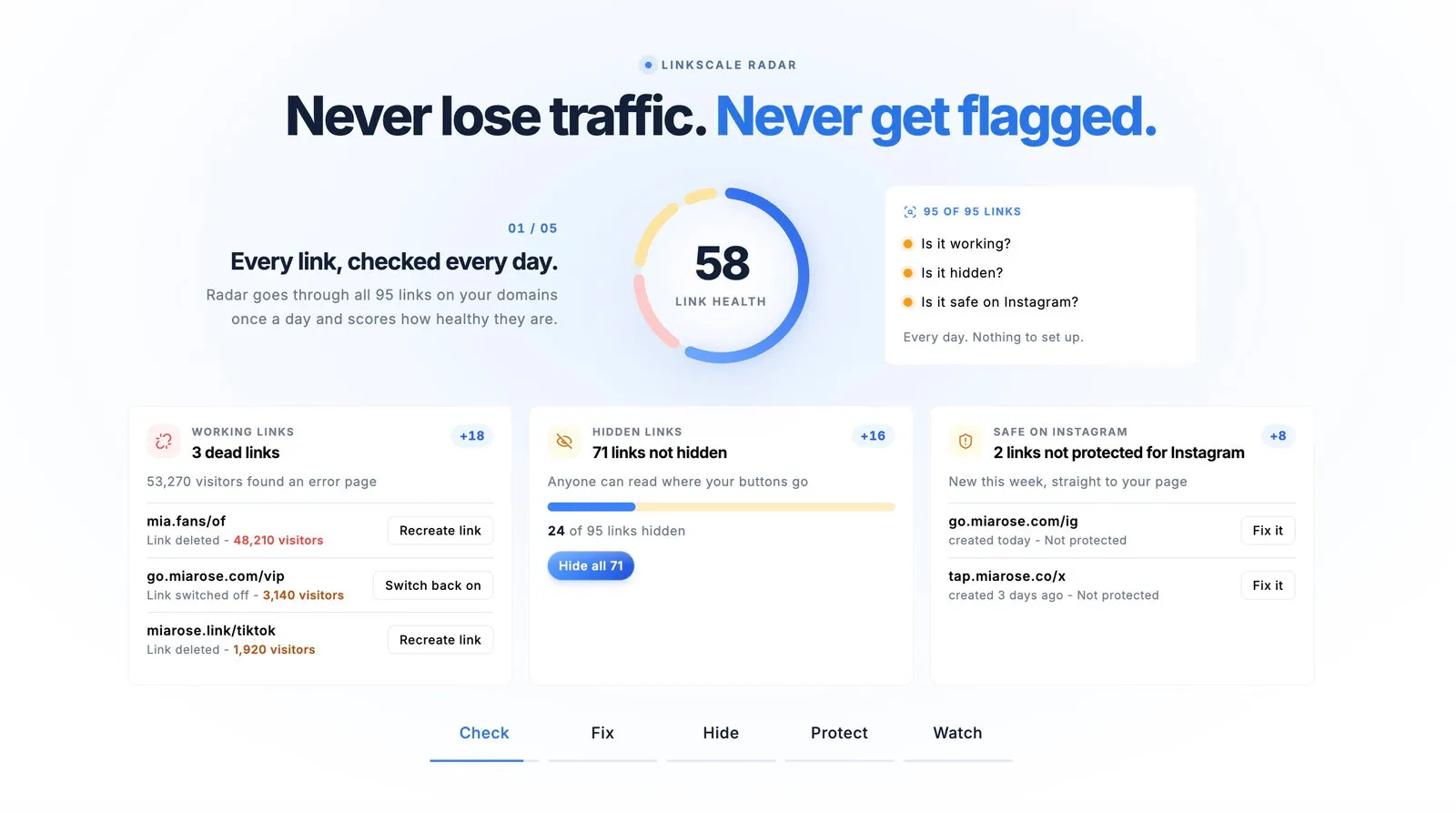
Radar runs once a day on every link on your domains, with nothing to set up. Each link gets a health score out of 100, and Radar tells you what to fix first.
What 100/100 means, in numbers
Since 29 September, fewer than 1% of links at 100/100 in Radar have been flagged. We reviewed each case, and every one came down to one of two causes:
- A protection set up incorrectly. We fix those with the client.
- An account posting highly sexualised content. No link tool can fix that, ours included, because Instagram is judging the feed.
What we do not promise
- 100/100 is the safest state we have measured. It is not a guarantee. Instagram changes its rules without notice, and no tool makes a link unbannable.
- The score covers the link, not the content. If Account Status says your content is not eligible for recommendation, start there.
- These numbers cover the first days of the wave. We will update this page as they move, in either direction.
Already flagged? The next 24 hours
- Open the flagged link from the notice.
- Apply the setup above, then edit or replace the link once.
- Wait up to 24 hours, as Instagram states.
- Do not edit in a loop. Each change restarts the review.
- Still blocked after 24 hours? Check Account Status. If the content is not eligible for recommendation, the account is the problem, not the link.
If the whole account is blocked rather than the link, see banned from posting on Instagram.
Frequently asked questions
Why is Instagram banning links right now?
Since 29 September 2026, Instagram and Threads review links in profiles and highlights against the Recommendation Guidelines, which keep sexually suggestive content out of recommendations. Links pointing to subscription platforms are the most exposed.
Is the Instagram ban wave still going on?
Yes, as of October 2026. Meta has not announced it, explained it or given an end date.
Does the wave only affect LinkScale links?
No. It hits every link tool. Our support received the same screen from creators on different domains and tools within 24 hours.
Are highlight links still safe?
Not by default. They are now reviewed like the bio. A highlight still works as a placement if the account, the domain and the page follow the setup above.
Can I edit the link in an existing highlight?
Not directly. A link sticker cannot be changed once the story is posted. Post a new story with the fixed link, add it to the highlight, and remove the old one.
Can a link tool guarantee my link will not be flagged?
No, and distrust any that claims to. A tool can isolate each account on its own domain, filter the traffic reaching your page and check every link daily. On LinkScale, fewer than 1% of links at 100/100 in Radar have been flagged since the wave started.
Updated 5 October 2026. Written by Thomas Melto, CEO of LinkScale. LinkScale has adapted to Instagram's link restrictions for a year and a half, with direct feedback from thousands of creators and agencies.