A deep link is a link that opens a specific destination inside an app or a browser, instead of dumping the visitor on a generic page. On mobile, and especially on social traffic, that distinction decides whether the click turns into anything at all.
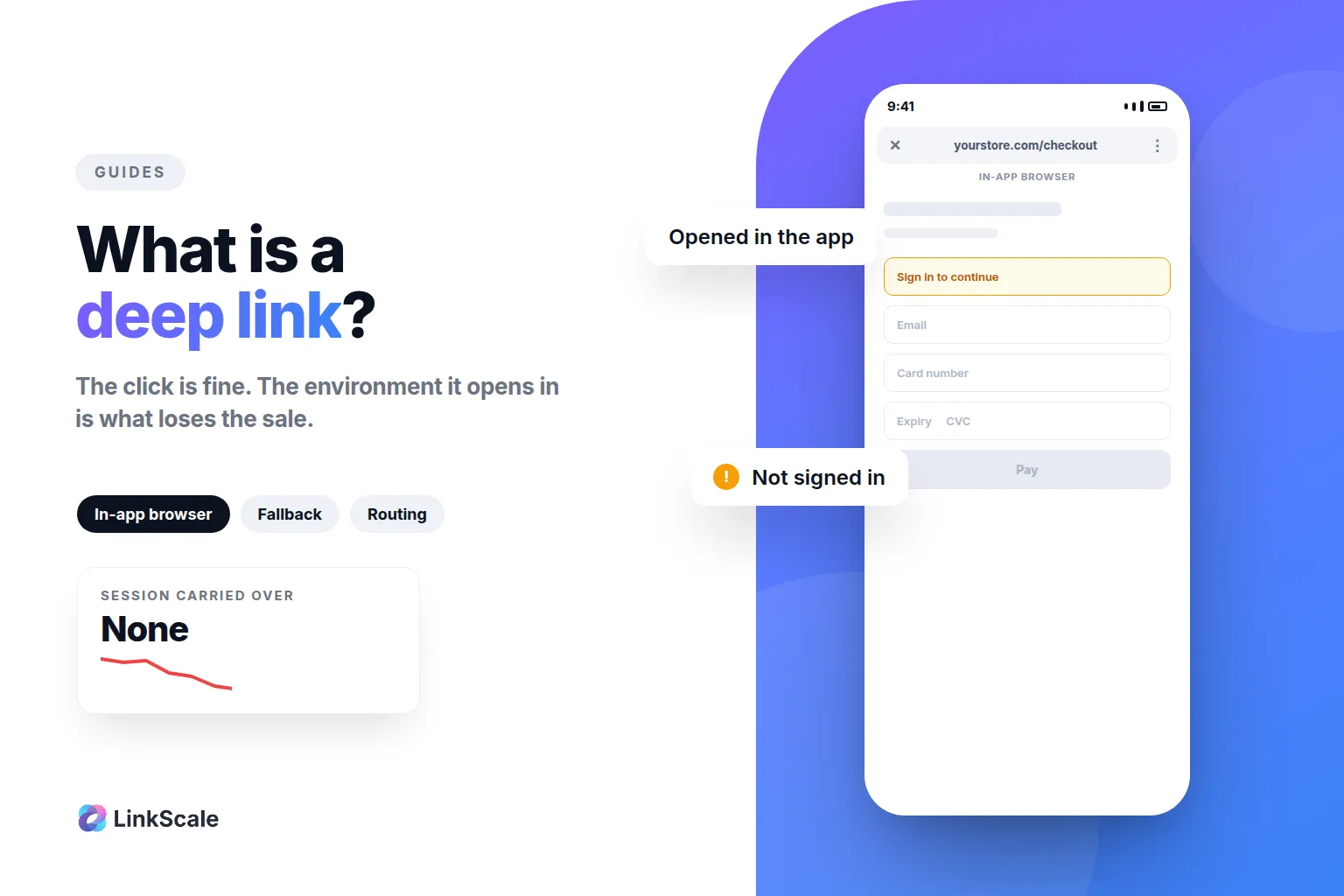
The reason is simple. When someone taps a link inside Instagram or TikTok, the platform usually opens it in its own in-app browser. The visitor is not logged in there. Their saved payment method is not there. The offer did not change, the environment did. Snapchat does the same: links open in its own browser, including the website link on a public profile. A deep link is how you take that decision back.
What is a deep link?
The one-sentence definition
A deep link points to a specific location, a product page, a checkout, a screen inside an app, rather than to a home page or a generic entry point. A regular link says "open this site". A deep link says "open this exact thing, in the place where it works best".
Deep link, deeplink, deep linking: is there a difference?
No. "Deep link" and "deeplink" are the same word written two ways, and "deep linking" is the practice. You will see all three used interchangeably, including by the platform vendors.
What does have a precise meaning is the distinction between a plain deep link and a verified one, which is the next section.
Deep link vs universal link vs Android App Link
This is where most explanations get vague, so here is the actual difference, from the people who built it.
Android's documentation is explicit. Plain deep linking is the base platform capability, but it comes with a catch: deep links are subject to the system disambiguation dialogOpens in a new tab. That is the "open with" prompt where the user has to pick an app. Android App Links remove it by verifying that you own the domain: "After they are verified, deep links to your website can immediately open corresponding content in your app, without requiring the user to select your app from a disambiguation dialog."
Apple's equivalent mechanism is documented as Universal LinksOpens in a new tab.
The practical takeaway: a deep link without domain verification can still show the user a prompt, and a prompt is a place where people quit.
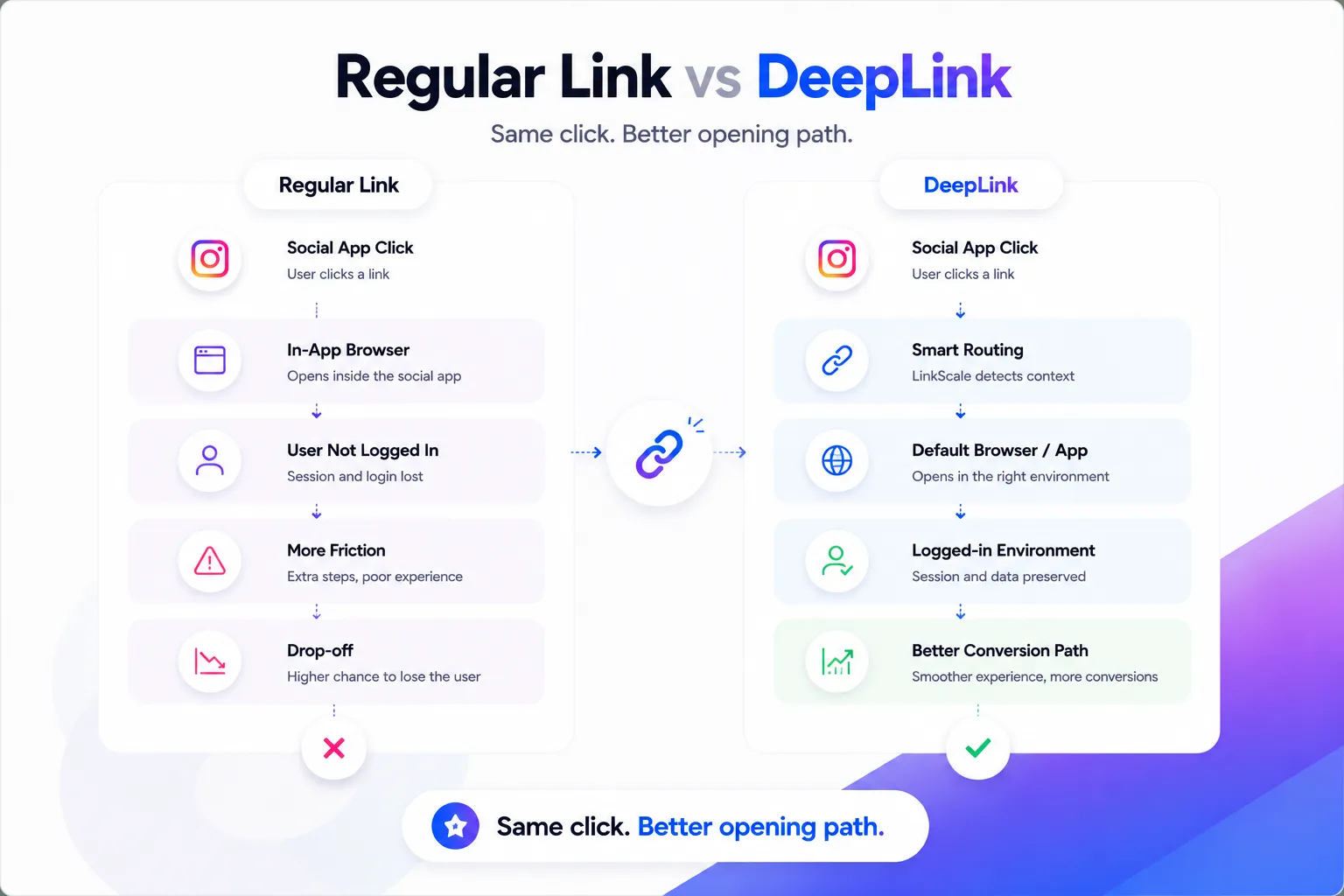
How does a deep link work?
A regular URL carries one instruction. A deep link carries an instruction plus a decision.
The chain is: the visitor taps, the link reads context, the link routes, and a fallback catches whatever the ideal route cannot handle.
The context available at that moment is more than people assume. Operating system, browser, whether the request comes from an in-app webview, the referring platform, the country, the device type, the campaign parameters. Each of those can change where the visitor should land.
The fallback is the part people skip and then regret. If the app is not installed, or the deep link fails, or the visitor is on desktop, something has to catch them. A deep link with no fallback is a link that works for most people and silently loses the rest.
Why do social links open in the wrong place?
Because the platform prefers it that way. Keeping a visitor inside the app is good for the app's session time. It is rarely good for whoever is receiving the traffic.
What an in-app browser actually changes
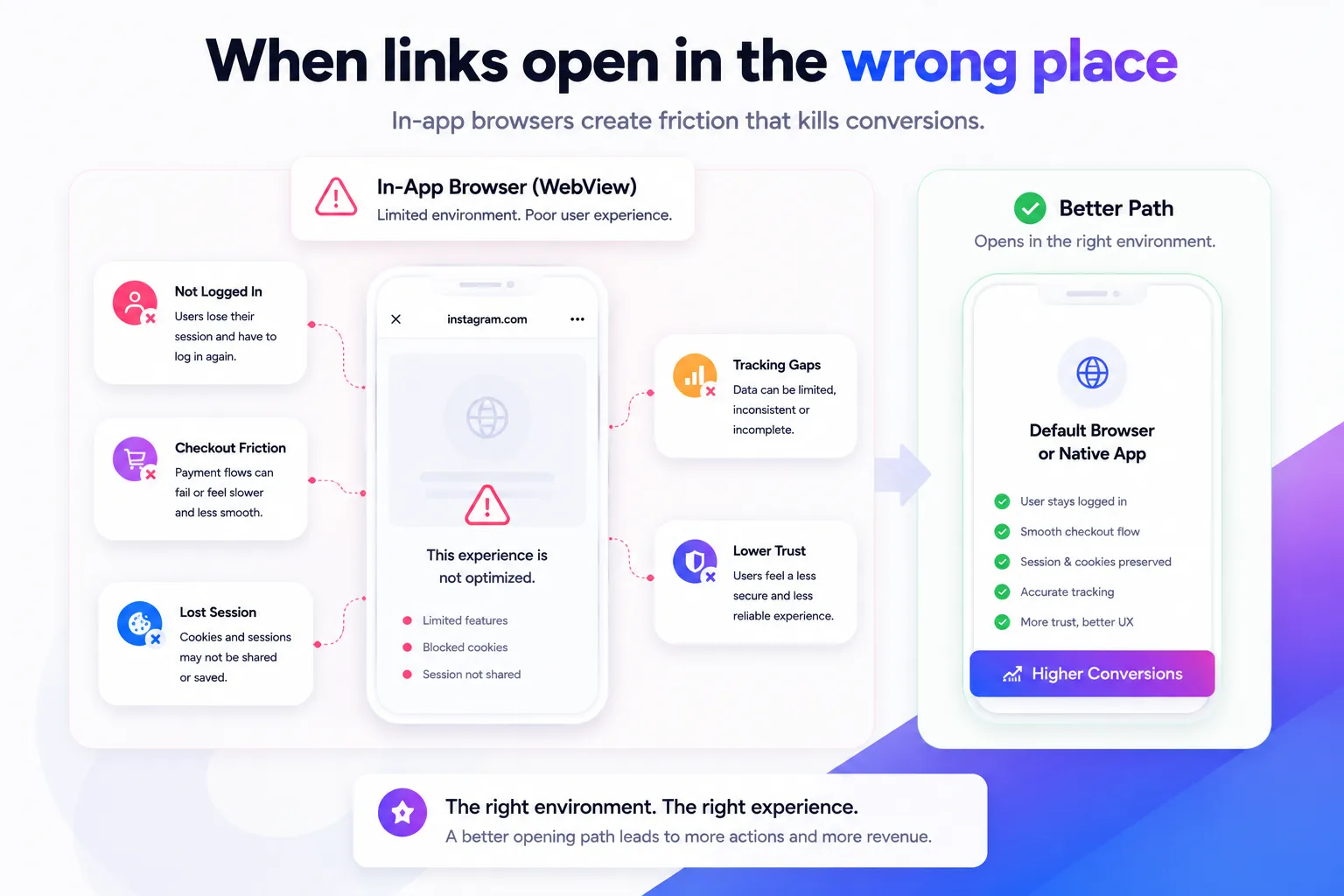
The visitor is often not signed in, because the webview does not share the session from their normal browser. Saved passwords and autofill may not be available. Payment sheets can behave differently. Some third-party scripts do not run. And the visitor has no obvious way to tell you any of this happened.
What they experience is friction they cannot name. What you see is a click that went nowhere.
When it matters most
The damage scales with how much your destination depends on identity. A blog post reads the same in a webview as anywhere else. A checkout, a login, a subscription page or a booking flow does not.
If your destination asks the visitor to be someone in particular, the opening environment is part of your conversion rate.
What we measured
In a LinkScale study across several thousand Instagram accounts, links that handed the visitor off to their own browser reached 71% conversion on the destination platform. The reason is not sophisticated: the visitor arrives already signed in, with their saved passwords and payment details available, instead of starting from a blank session.
That is the whole case for routing. It is not about the link. It is about whether the person on the other end has to start over.
What are deep links used for?
Beyond the app-opening case, deep linking is how you stop treating every click as identical.
The common uses: sending paid traffic to the exact product rather than the home page, opening the native app for visitors who have it, routing a visitor out of a webview before a checkout, splitting organic and paid traffic so the reporting means something, sending each platform to a page written for that platform, and catching failures with a fallback page instead of an error.
There is also a defensive use. Traffic from social platforms is not all human, and routing lets you send automated or suspicious requests somewhere harmless while real visitors continue. We cover that side in our guide on cloaking, shielding and link tracking.
Who gets the most out of it
Do you need a deep link generator?
Not necessarily. If you have one destination, one platform and no app, a plain URL is fine and adding routing on top of it is overhead you will not benefit from.
You start needing one when any of these is true: you have an app and you want links to open it, your traffic comes from several platforms that behave differently, your destination depends on a logged-in session, you buy traffic and need the campaign context to survive the click, or you are managing links for more than a handful of accounts. When a single link has to cover several of these cases at once, choosing per visitor by device, country or app, that is what a smart link does.
The honest test is one question. Does the environment the visitor lands in change whether they convert? If yes, you need routing. If no, you do not.
If you want the product side of this, the LinkScale deep links feature page covers what our routing layer does, and the tutorial on building a direct link walks through the setup. The broader question of whether to send people straight to a destination or through a page of your own is a separate decision, covered in direct link versus landing page.
What should you track after the click?
Routing without measurement is a guess with better branding.
The fields that actually change decisions: the referring platform, the device and operating system, whether the request came from an in-app webview, the country, the campaign parameters, which route the visitor took, whether the fallback fired, and whether the destination was reached.
That last pair matters more than it sounds. A fallback firing often is not a fallback working, it is your primary route failing. If most of your traffic ends up on the fallback, the routing rule is wrong, not the visitor.
Our analytics feature page covers what we expose, and traffic quality covers the bot and proxy side.
Common mistakes
Using the same link everywhere. Instagram, TikTok and a newsletter do not produce the same visitor. One link for all three means at least two of them are getting the wrong experience.
No fallback. The single most common failure. It works on your phone, so it ships, and it quietly loses everyone whose situation differs from yours.
Testing only where you are logged in. Your own device is the least representative device you own. Test logged out, on mobile data, from inside the app the traffic will actually come from.
Treating a click as a result. A click tells you the link was tapped. It says nothing about whether anyone arrived.
Skipping domain verification. Without it, Android can still show the disambiguation prompt, which reintroduces exactly the friction you were removing.
Frequently asked questions
What is a deep link in simple terms?
A link that opens a specific page or screen rather than a generic entry point. A regular link opens a website. A deep link opens the exact product, checkout or app screen you meant, which removes the steps the visitor would otherwise have to take themselves.
What is the difference between a deep link and a universal link?
A universal link is Apple's verified version of a deep link, and Android App Links are Google's. Verification means the platform has confirmed you own the domain, so the link opens your app directly instead of asking the user to choose an app first.
Do deep links work if the app is not installed?
Verified links fall back to the equivalent web page. A plain deep link only falls back if you configured a fallback yourself, which is why the fallback is not optional.
Why does my link open inside Instagram instead of my browser?
Because Instagram opens links in its own in-app browser by default. The visitor is usually not signed in there and their saved payment details are unavailable, which is why conversion drops even when the destination page is fine.
Do I need a deep link generator or can I write them by hand?
By hand is workable for a single app and a single destination. It stops being workable once you need per-platform routing, fallbacks, campaign parameters and reporting, because each of those multiplies the number of links you would maintain manually.
Does deep linking help SEO?
Not directly. Deep linking affects what happens after someone clicks, not how the page ranks. It affects conversion and measurement, which is a different problem from visibility.
Last updated: 4 September 2026. Written by Thomas Melto, CEO of LinkScale.